Live quizzes

A live quiz platform the whole room can join

Show a code, everyone joins on their phones, and the room plays together: countdowns, reveals, streaks and a leaderboard that races.

Free plan, no cardPlayers need no app
Quick answerUpdated 2026-09-24

How do I run a live quiz that people join from their phones?

With QG Playground, you open a quiz and press Go live. The big screen shows a QR code and a 6-character room code; players open qgplay.live on any phone or laptop, type the code or scan the QR, pick a nickname and join, with no app and no account. You start when the room is ready. Each question runs in the same rhythm on every device: a 3-second countdown, a few seconds to read, then the answers open with a timer, 20 seconds by default. Faster correct answers earn more points, streaks multiply them, and lifelines such as 50:50 and 2× add strategy. The reveal shows the vote counts and the correct answer, and leaderboards you place in the quiz show a racing top 10. The quiz ends with a podium, special awards and a results recap, on a projector or over Zoom or Teams.
Every question, in the same rhythm

The big screen and every phone move together, so the room reacts together. Every timing is adjustable.

  1. Get ready3 s countdown on every screen
  2. ReadA few seconds to read
  3. Answer20 s on phones, by default
  4. RevealVote counts, then the answer
  5. LeaderboardThe top 10 races

Gamification with a switch for everything

Speed points, streaks, four lifelines and a podium, shaped by Quiz Granny's live events. Turn each one on or off per quiz.

  • Speed points1,000 → 500
  • StreaksFlame + multiplier
  • 50:50Two wrong options go
  • 2×Double points, once
  • Streak ShieldOne miss forgiven
  • Safety NetNo minus marks, once
  • BadgesFastest finger · Comeback

The leaderboard races.

Bars grow and reorder together, points count up and the leader gets a crown. The finale reveals third, second, then the champion.

  • Top 10 with movement arrows
  • Streak, climber and fastest tags
  • Podium with confetti and special awards
  • Badges and a share card on phones
Run a quiz competition

In the room or on a call.

Move with Next and Back, arrow keys, or your phone as a remote. On Zoom, Teams or Meet, share the presenter view and players join on their own devices.

  • Phone remote on Pro Plus
  • The same room code for about 3 hours
  • Late joiners play from the next question
  • Rename a player from the leaderboard
Team building quizzes
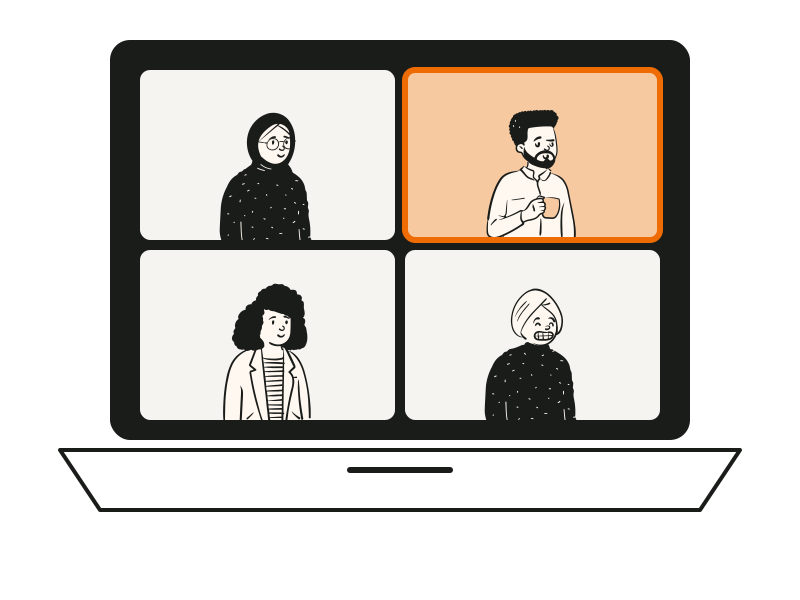
People on a video call playing a quiz together

At a glance

Joinqgplay.live + 6-character code, or QR; no app
Players per session20 Free · 100 Pro · Unlimited Pro Plus
Timing3 s countdown · 3 s reading · 20 s answering (all adjustable)
Points500–1,000 by speed by default, or fixed
Lifelines50:50 · 2× · Streak Shield · Safety Net
Works withProjectors, TVs, Zoom, Teams, Google Meet
PlansFree, Pro (₹799/mo), Pro Plus (₹2,499/mo), billed yearly + GST; Enterprise on request

Questions people ask

Can't find it? The help centre has step-by-step answers.

Do players need an app?
No. Players use their phone's browser at qgplay.live with the room code or QR code.
Can I run it on Zoom or Teams?
Yes. Share your browser window with the presenter view, and players join on their own devices.
How many people can play?
20 per session on Free, 100 on Pro and unlimited on Pro Plus and Enterprise.
What if someone joins late?
They join straight away and play from the next question. Their phone says so.
Can players see the answers on their phones?
After each question, phones show whether they were right, their points and the correct answer. The full leaderboard stays on the big screen.
Can I turn gamification off?
Yes. Each mechanic has its own switch, and without leaderboards the quiz ends with “That's a wrap”.
Do lifelines work in scheduled quizzes?
Yes, except Streak Shield, which is for live quizzes.
Which plan has streaks and lifelines?
Streaks, badges, lifelines and sound are on Pro and above.