Event engagement activities that work from every seat
Six activities that give every attendee something to do from their seat, in the order you would run them across a conference day, a launch or a community evening.
Activities that engage attendees give every person something to do from their seat, every 15 to 20 minutes, and show the results on the main screen. Six work at conferences, launches and community events: an opening poll about why people came; a live word cloud during a keynote; a rating after each session; a short quiz between talks that races to a podium; a sponsor round of three questions about a partner brand; and a final team quiz across tables. In QG Playground, attendees join every activity with one room code or QR on the stage screen, at qgplay.live, with no app to download. Pro Plus hosts 500 players a room and adds your event's logos to every screen, and a one-off event pass covers a single bigger day of up to 2,000 players. After the event, the recap and CSV export give you every poll result and rating.
On this page
Six event engagement activities, in running order
Each activity below takes under five minutes of stage time, works with one room code for the whole day, and leaves the organiser with something useful afterwards.
Opening poll: “Why are you here today?”
When: as people sit down, before the first speaker. Time: about a minute. What it gives you: a picture of the room. Put the QR on the stage screen while people find their seats and ask one multiple-choice question about why they came: to learn, to meet people, to hear one speaker. The bars fill as people answer, the host reads the result out, and by the time the first speaker walks on, most of the hall has already joined the room for the rest of the day.
Live word cloud during the keynote
When: in the middle of the keynote, at a natural pause. Time: two minutes. What it gives you: the audience's own words. The speaker asks for one word, such as “In one word, what's the biggest change in your work this year?”, and the answers build a word cloud on the main screen. The biggest words become a talking point for the speaker, and the full list is saved for your recap.
Session rating before people stand up
When: the last minute of each session, before the applause. Time: a minute. What it gives you: a score for every session. One rating question, from 1 to 5, asked while people are still seated, gets far more answers than a feedback email sent the next day. Ask it the same way after every session so the scores compare across the day.
Quiz break between talks
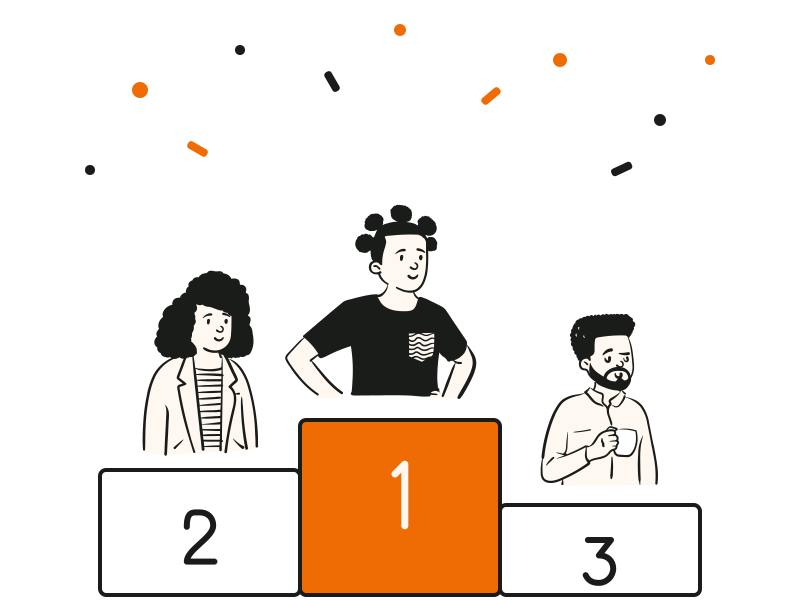
When: between two talks, or while the stage is reset. Time: about five minutes. What it gives you: energy, and a room that stays in its seats. Five questions on the event's theme, the city or the industry, with a timer, speed points and a leaderboard that races after every question. The podium reveals third, second and first, and the next speaker walks on to a room that is awake.
Sponsor round
When: once in the day, introduced by the host. Time: about three minutes. What it gives you: a sponsor moment that isn't an ad. Three questions about the partner brand: a fact about its history, a product, a number from its story. The sponsor's logo can sit on every screen, the questions get people talking about the brand, and the sponsor gets a moment the room actually plays, not a slide it ignores.
Closing team quiz across tables
When: the last session of the day, or after dinner. Time: 10 to 15 minutes. What it gives you: the moment people remember. Each table plays as a team on one phone, with the table name as the nickname. Two or three short rounds, a leaderboard between them, and a podium for the winning table. It mixes people who met that day, and it ends the event on a high rather than a thank-you slide.
Conference audience engagement ideas for big halls
A big hall needs a little more planning than a meeting room. Use one code for the whole day, so people join once in the morning and every activity reaches them without a new QR. Make the QR big enough to read from the back row: give it most of the stage screen for the first minute of each activity, and say the room code out loud for anyone who can't scan.
Put a host on the microphone who reads the results out loud, names the leaders and keeps things moving; a quiz without a voice feels like a pause. Keep every activity under five minutes, so it never eats into a speaker's slot, and agree the timings with the stage manager before the day, so the run of show leaves room for them. If the venue Wi-Fi is busy, tell people that their mobile data works just as well.
Weddings, parties and community events
The same activities work away from the conference hall. At a wedding or a family party, run a ten-minute quiz about the couple or the guest of honour between courses, with each table playing as a team. At a club or a community evening, make the questions about the club, its history and its members. Keep it short, keep a few easy questions so every table scores, and let the winners get a toast. See the wedding quiz for prompts and a venue checklist.
What to measure
Measure three things after the event. Participation per activity: how many people answered each poll, word cloud and quiz, which tells you which moments worked and when the room drifted. The ratings: the score for each session, asked the same way every time, so you can compare speakers and formats. The feedback export: every poll result, word-cloud answer and rating in one file, to share with speakers and sponsors and to plan the next edition.
We count visits without cookies. With your OK we also use analytics and marketing cookies to see what helps. We count visits without cookies; other cookies only with your OK. Cookie policy ·
Your browser's Global Privacy Control is on, so marketing cookies stay off.
 Quick answer